Features
Photospec turns your exported photos into ready-to-post content. Templates, borders, carousels, and video, all designed to help your images stand out.



Photospec actions
Your photography toolkit
It all starts with an action. Choose from a growing list of actions that transform your images into beautifully presented media for your social platforms.



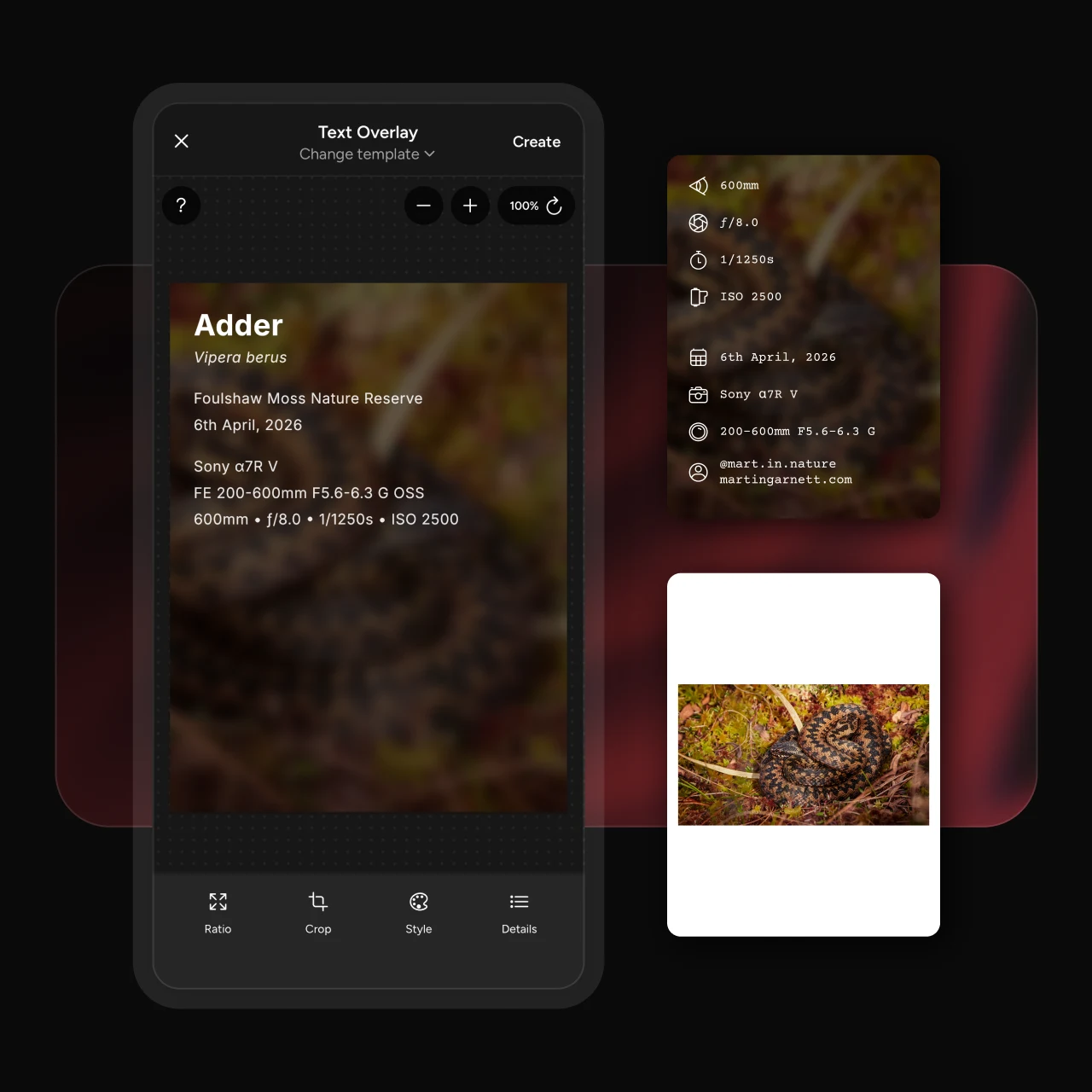
Image generation
Every photo deserves the full picture,
so start with a template, then layer in borders, EXIF data, species, location, and creator details.- Frame your images in a border
- Switch up the aspect ratio for different platforms
- Camera metadata automatically added, no typing required
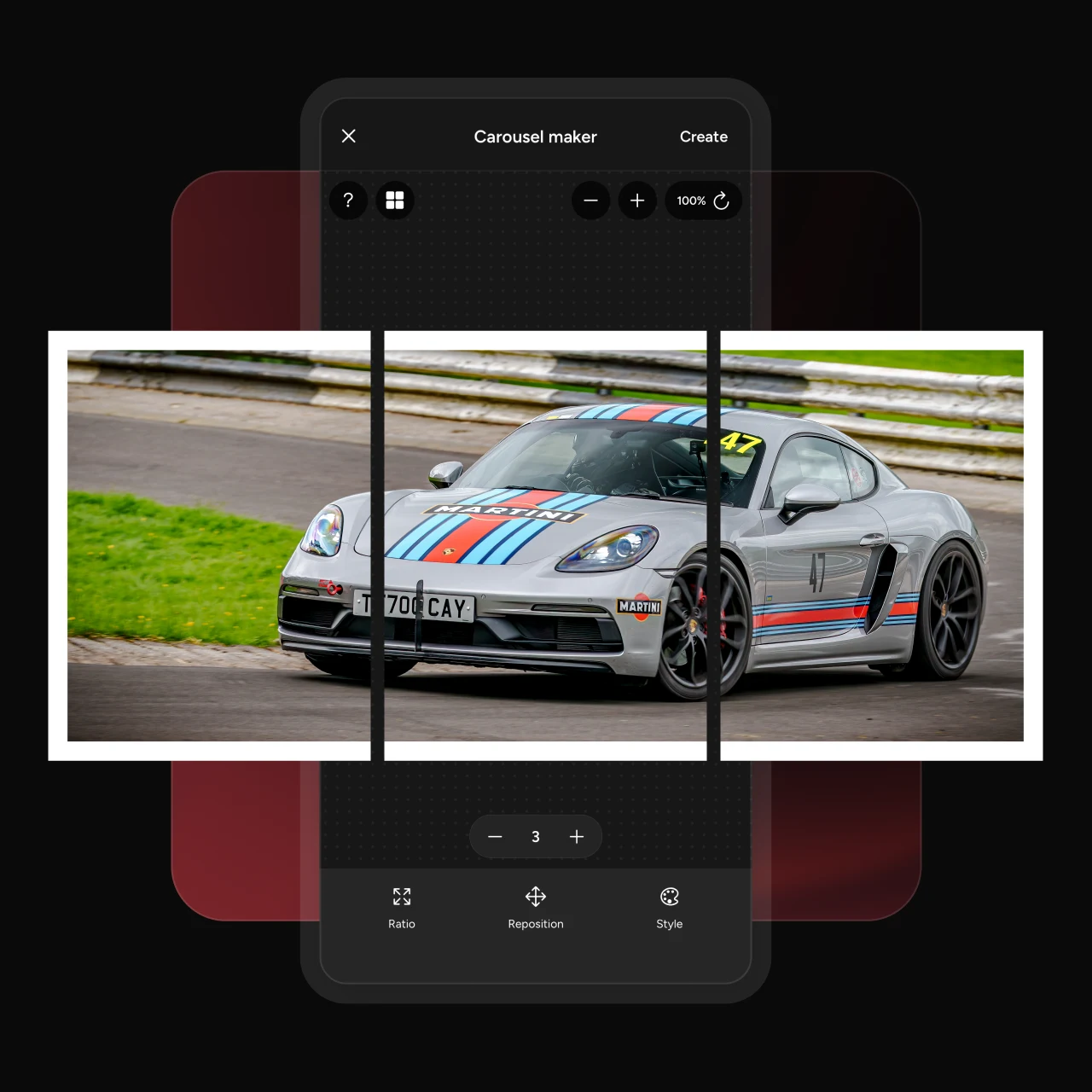
Carousel maker
One photo, told across several slides,
giving viewers more to take in and more detail to notice with every swipe.- Select up to 5 slides
- Add a border for additional framing
- Reposition your image for a better crop
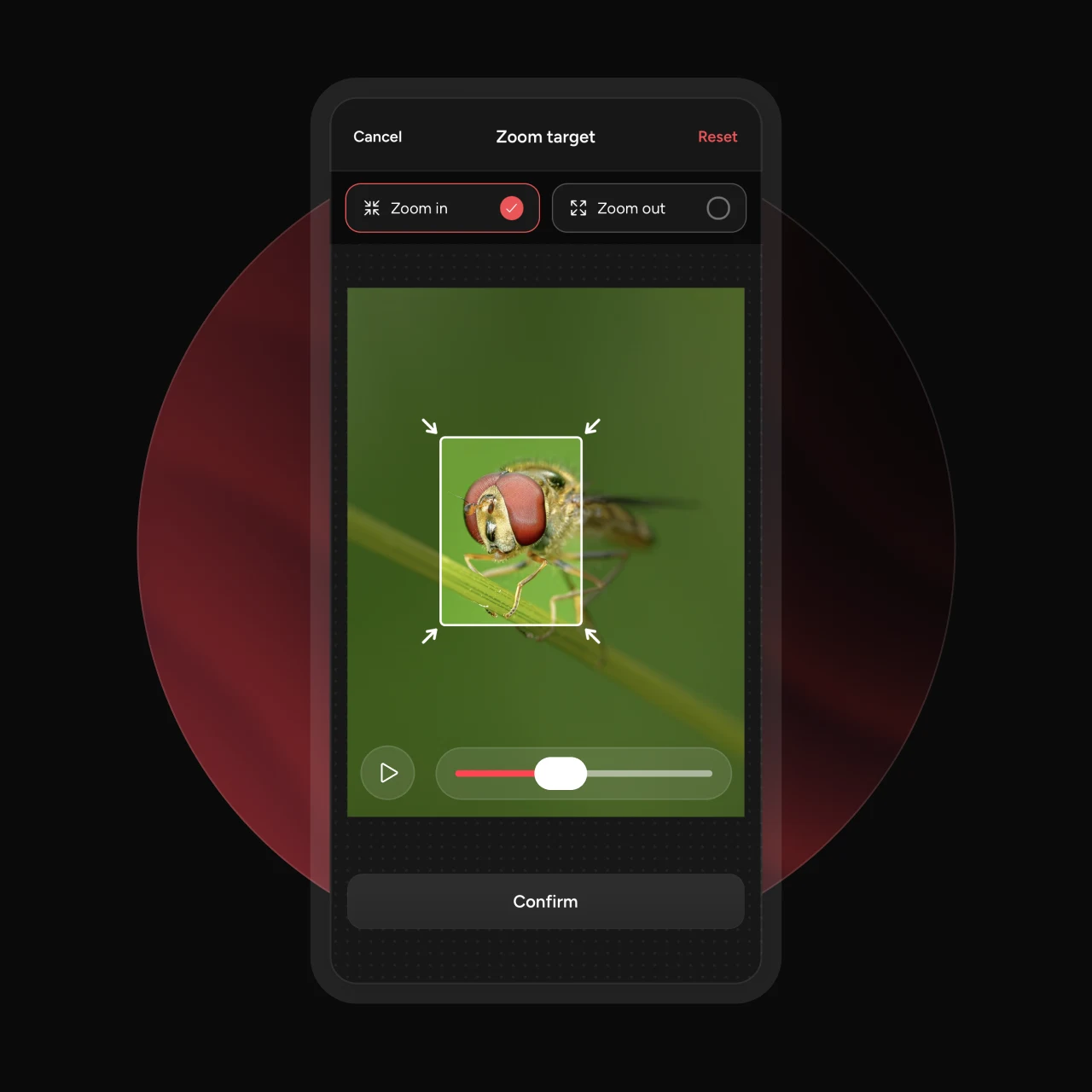
Video maker
Add motion to your images,
using a zoom to highlight a detail or a pan to take the viewer on a journey through the shot.- Pan across your image in any direction
- Zoom in or out to a focus point
- Fade in and out, add a border, and tweak the easing
Additional features to make life easier
Aspect ratio
Choose from a range of pre-defined aspect ratios for every platform.
Style presets
Save a look you like and reapply it in a tap, so your posts stay consistent.
Font styles
Select from pre-defined font styles to mix up your look, and better suit the story of your photo.
Creator details
Add an avatar, your name, a website URL, or your social handle on selected templates.
Species lookup
For supported templates and layouts, you can search the GBIF species database and add common and scientific names.
Places lookup
When adding a location, you can search places with the built-in Google Places location search, and select any part of the address.
Automatic camera settings
Photospec reads your photo’s EXIF data and pulls in the camera, lens, and exposure automatically.
Privacy-friendly
All editing happens on your device. Your photos are never uploaded to a server.
Save location
Choose where to save your images. Either the default camera roll location, a specific Photospec album, or on Android, you can select a folder on your device.
Quick image replace
Swap in a new photo to instantly reuse the same edit across a whole set of images.
High-quality image export
Images are exported at twice the resolution of current social media requirements for maximum quality.
Video quality settings
When exporting your videos, choose between 30 and 60fps and up to a 4k resolution for maximum quality.

Built for the photo you already made
Photospec is the last step, not another editor. Edit your photos as you want them to be, then export and use Photospec to create your presentational assets for social media.
Frequently asked questions
Everything you need to know about what Photospec can do.
Photospec helps prepare your photos for sharing on social media. The image generation action lets you easily add borders, or EXIF metadata to your images. The carousel maker slices a wide image into seamless slides for an edge-to-edge carousels. The video maker adds a cinematic zoom or pan to a still photo and exports it as video for Reels, Stories, and TikTok.
Photospec is not an image editor, it's a tool for the last step. Bring in your edited image, and Photospec handles the presentation — borders, overlays, slides, and motion.
No. Photospec always writes a new file when you export, so the photo in your library stays exactly as it was.
Yes. Save a style preset and reapply it in a tap, or use quick image replace to swap a new photo into an edit you have already set up — handy when you are posting a whole shoot in one style.
Photospec is free to download and use. Pro unlocks additional templates and features and removes the Photospec watermark from your exports. If you would rather not add another subscription, you can remove the watermark with a one-time purchase.
No. Every action — image generation, carousels, and video — runs entirely on your device. Species and location search need a connection to look up a name, but your photos themselves are never uploaded.

Download the app for free
Photospec is available on the iOS App Store and Android Google Play.